Click on any 'SHOP' title that appeals to you:
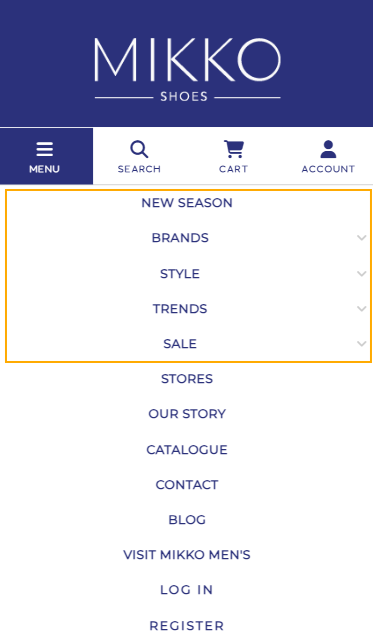
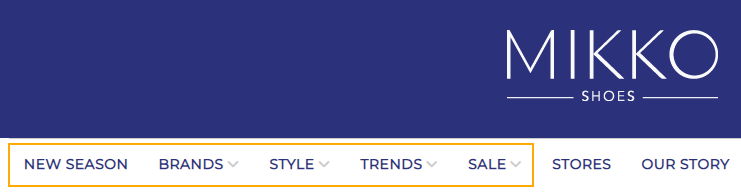
Or, if on desktop computer, hover over the menu bar to drop down options and click to shop:
 STEP 2: VIEW DETAILS
Click on any style image that takes your fancy and read about the features of the shoe and see additional photos.
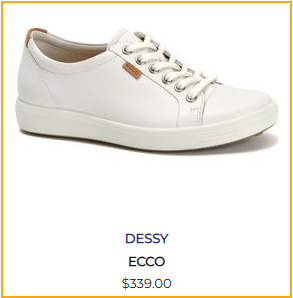 STEP 3: CHOOSE A STYLE
Like it?
STEP 3: CHOOSE A STYLE
Like it? Choose the colour and size and then click 'ADD TO CART'. You can remove the style later if you change your mind. Notice the blue tabs - click these for sizing and delivery info.
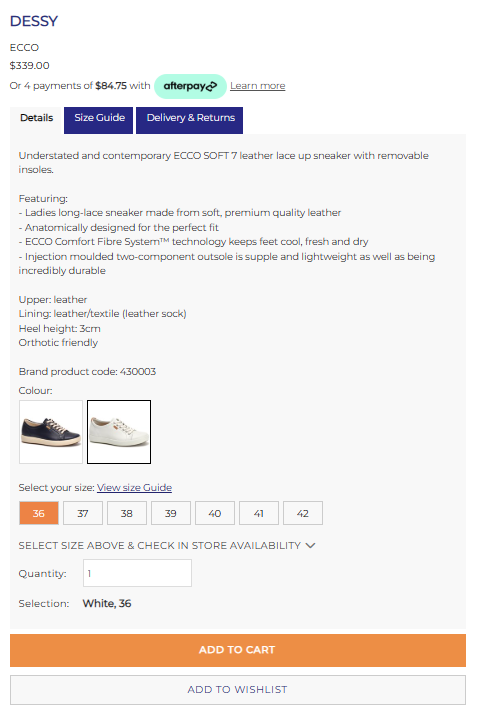
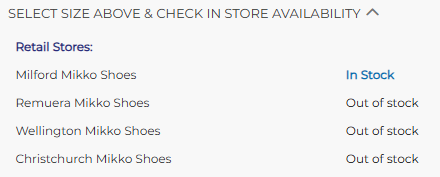
Want to click and collect or try on in store? After selecting your required colour and size, click the "Select size above and Check in store availability" dropdown to view in store availability.
Please note: Click and collect is only available for items shown as available in your chosen collection store. If the selected item is not available in your chosen store but another Mikko store, it will be available as a courier delivery option only, please add your chosen store as the delivery address.
 Don't like it?
 Click the Back arrow above the product photo and keep shopping.
 STEP 4: REVIEW YOUR ORDER
When you're all shopped out and ready to complete your order, click the shopping cart on the top right corner of the screen and head to the Checkout.

In the Checkout you can click any of the product images to take another look, or if you've changed your mind, click 'REMOVE' and the style will be deleted.
STEP 5: COMPLETE YOUR INFO
Click 'CHECK OUT SECURELY' when you're ready to process your order.
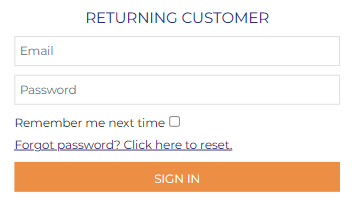
Have you shopped in-store before? If you've signed up in store and created a loyalty account - head to 'RETURNING CUSTOMER' and use your email address you provided in store to log into the same account. If you have any trouble logging in, please contact us at
enquiries@mikkoshoes.nz and we can check your account settings for you.
Hey presto - you'll find all your loyalty points on your previously created account and be able to earn points for online spend.
 Never created a profile before?
 If you haven't signed up instore or online before, head to 'NEW CUSTOMER' and complete the information required.
 Join our loyalty club.
 We reward loyalty members with Mikko credit to spend on your next purchase! This is optional - to sign up just choose a password and tick the box. When you spend $1,200 you'll receive $50 Mikko credit to spend online or in-store.
Learn more about Mikko's loyalty programme here.

STEP 6: DELIVERY AND BILLING INFORMATION
Please fill in the address details for where you would like your order sent to. Please note; our couriers cannot deliver to PO Box, please supply a street address. By default, the billing address is the same as the shipping address. Untick the box, and fill in the billing section if you require separate billing and shipping addresses.
If you would like to collect your order in store, we do offer a click and collect service. Click and collect will only show as an option online for orders where all the items are available in the store you wish to collect from. Please see our
Click and Collect FAQ’s for further information.
If click and collect is not showing as an option for you, you are welcome to put the address of the Mikko store you would like to collect from, and put a note in the comments field to let us know you would like to collect in store. Alternatively, please call
(09) 283 3621 or email us at
enquiries@mikkoshoes.nz and we will be happy to assist you. Complete all the information required.
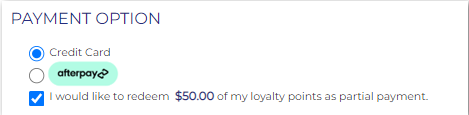
Remember to tick the box to redeem your loyalty if you have any. The discount applied is viewable in the order summary
before you proceed to the final payment.
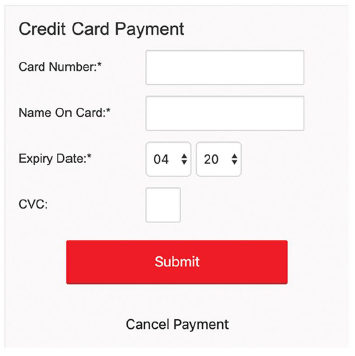
 STEP 8: SECURE PAYMENT
Complete the credit card details required for secure payment. The CVC number is the 3 digits on the back of your credit card. Click 'SUBMIT' finalise your order.
And it's as simple as that!
Expect your delivery within 3-5 days. The first order is always a bit fiddly due to loading your information, but once done, we know you'll love the convenience of online shopping at Mikko.
We're here to help! If you have any questions as you shopping online, just call
(09) 283 3621 or email us at
enquiries@mikkoshoes.nz.
Thank you for choosing Mikko Shoes!